Your whole team — in one app
Schedule, check-ins, payroll, requests, missions and analytics — in every employee’s pocket. iOS and Android. Light and dark theme.
- Employees see their schedule, hours and pay
- Managers — attendance and requests in real time
- Works offline, syncs when the network is back
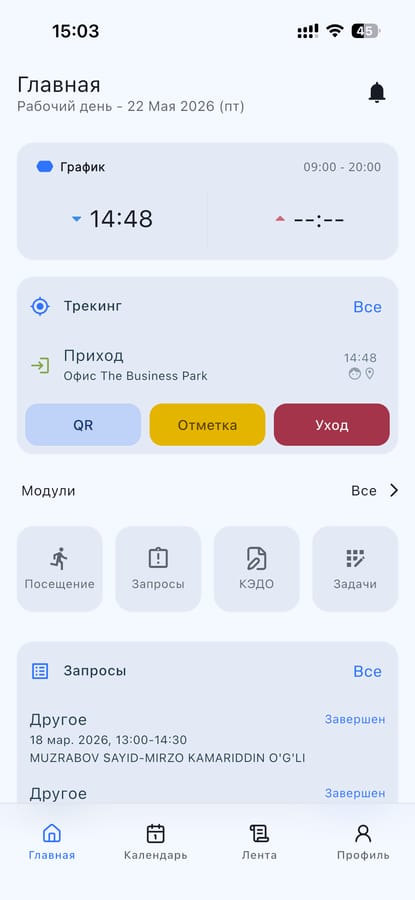
Your workday — on one screen
An employee opens the app and immediately sees the schedule, tracking status and available actions. No extra menus.
- Shift schedule and the current “clock-in / clock-out” status
- Quick actions: QR check-in, check-in, clock-out
- Requests, e-HR documents and tasks — in one tap
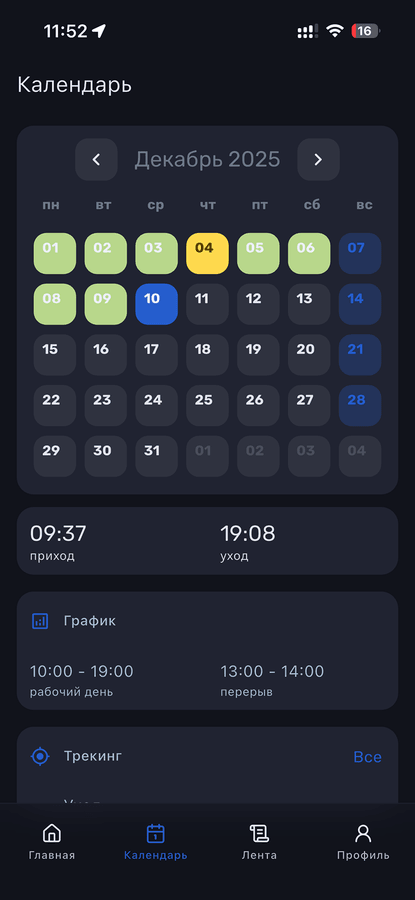
The whole month at a glance
Dark and light themes. Color coding shows work, days off and problem days — you grasp the whole month in a couple of seconds.
- Color scale: normal, late, absence, time off
- Clock-in/out times and the workday schedule
- Location tracking and transitions between shifts
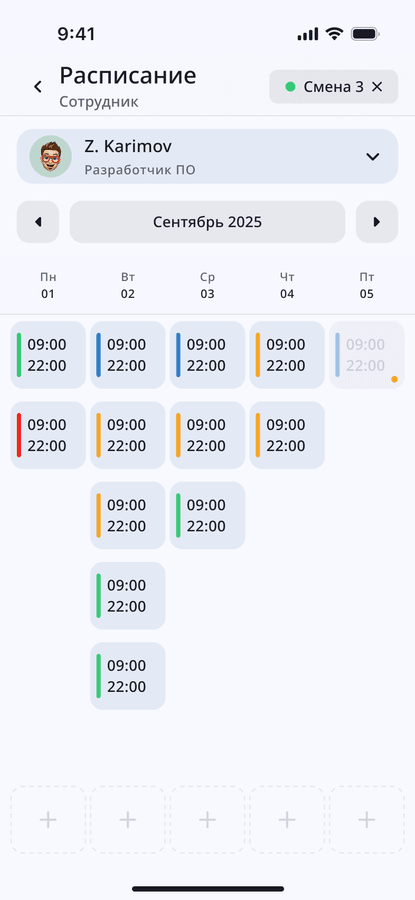
Shift planning without spreadsheets
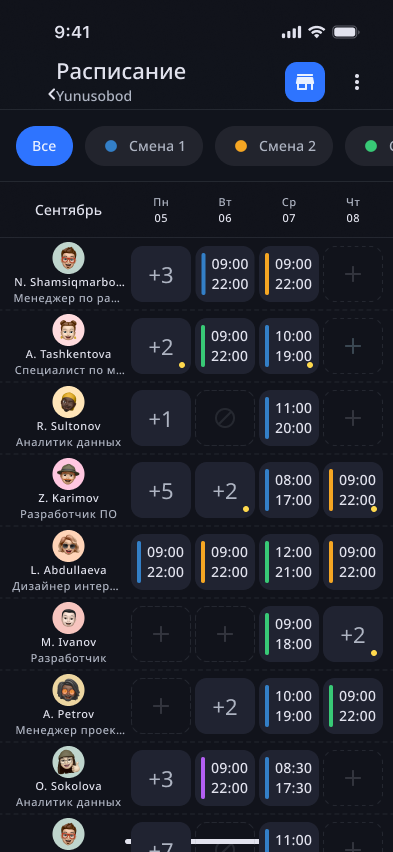
A manager sees who works each day and in which shifts, and quickly changes assignments right from the phone.
- Several shifts in one cell — without confusion
- Filter by shifts and departments
- Employee card with assignment history
Everyone knows their schedule
Employees see their shifts a month ahead, can plan life in advance and don’t need to ask the manager.
- Hours and shift type for each day
- Highlighting of today and upcoming days
- Push notifications about new shifts and swaps
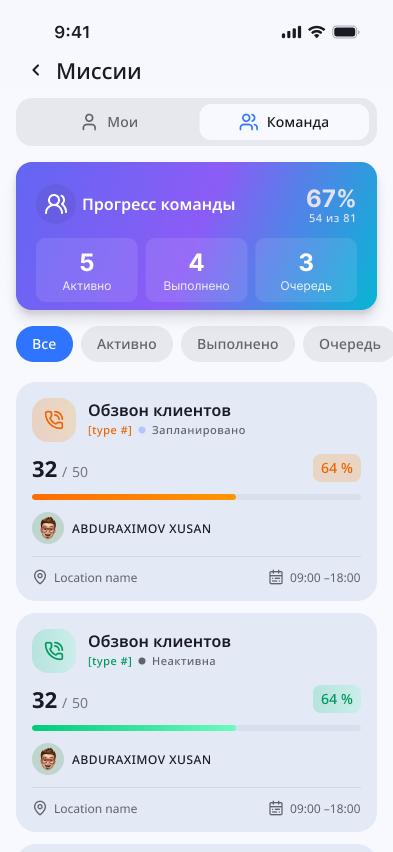
Team goals — measurable
Set tasks for employees — from call rounds to sales KPIs. Progress is visible to the whole team, motivation stays high.
- Team and individual progress
- Sort by status: active, done, queued
- Binding to a location and time window
Discipline — in numbers
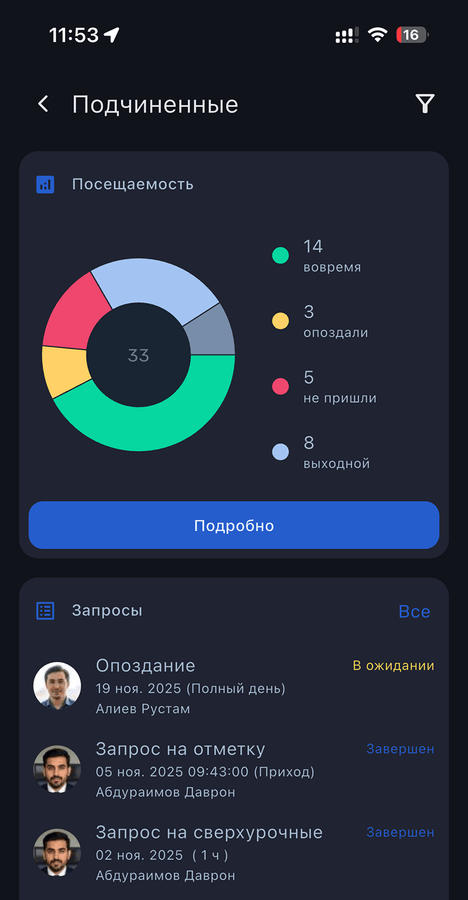
A manager sees a snapshot of the team: who’s on time, who’s late, who didn’t show up. And handles requests right away.
- Pie chart of daily attendance
- Request queue: late arrivals, overtime, check-ins
- In-depth analytics by periods and locations
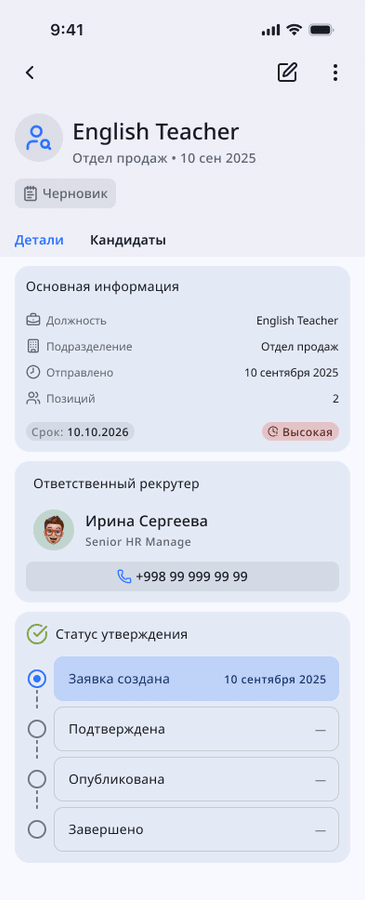
Hiring — right on your phone
Create job openings, track stages and candidates, approve requests with other managers.
- Job card: positions, deadline, priority
- Approval statuses and action history
- Responsible recruiter and contacts
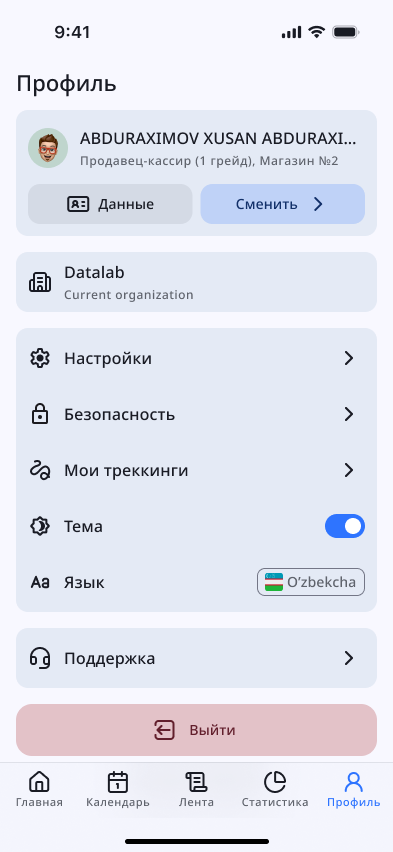
Your personal account in your pocket
Employee data, organization, security and support settings — all on one page. Themes and languages are here too.
- Employee data and current organization
- Security, my tracking, support
- Light / dark theme and language selection
Frequently asked questions
If you didn’t find an answer — write to us, we’ll reply within an hour.
Download Verifix and try it today
Connect your team in 15 minutes — no rollout, no training.